For some of our courses, programs and students, there is a specific deadline to complete the course or program. These can be located on the main page of the associate program. They are provided individually and are based on the data of registration.
To review your date, please follow the following steps.
- Log into your Account
- Go to the associated Program or Course.
- Click the Course or Program button to find the main page of the program
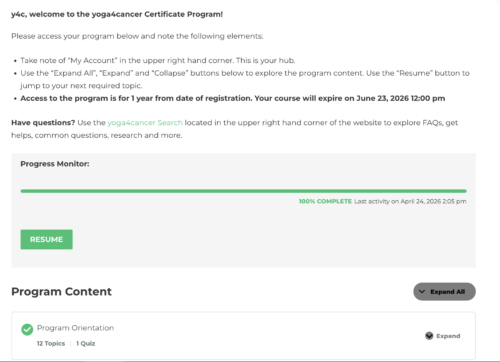
- Review copy under the title. Example below: “Access to the program is for 1 year from date of registration. Your course will expire on June 23, 2026 12:00 pm”.
- If there is no date provided and you believe there is a deadline, please contact Support.