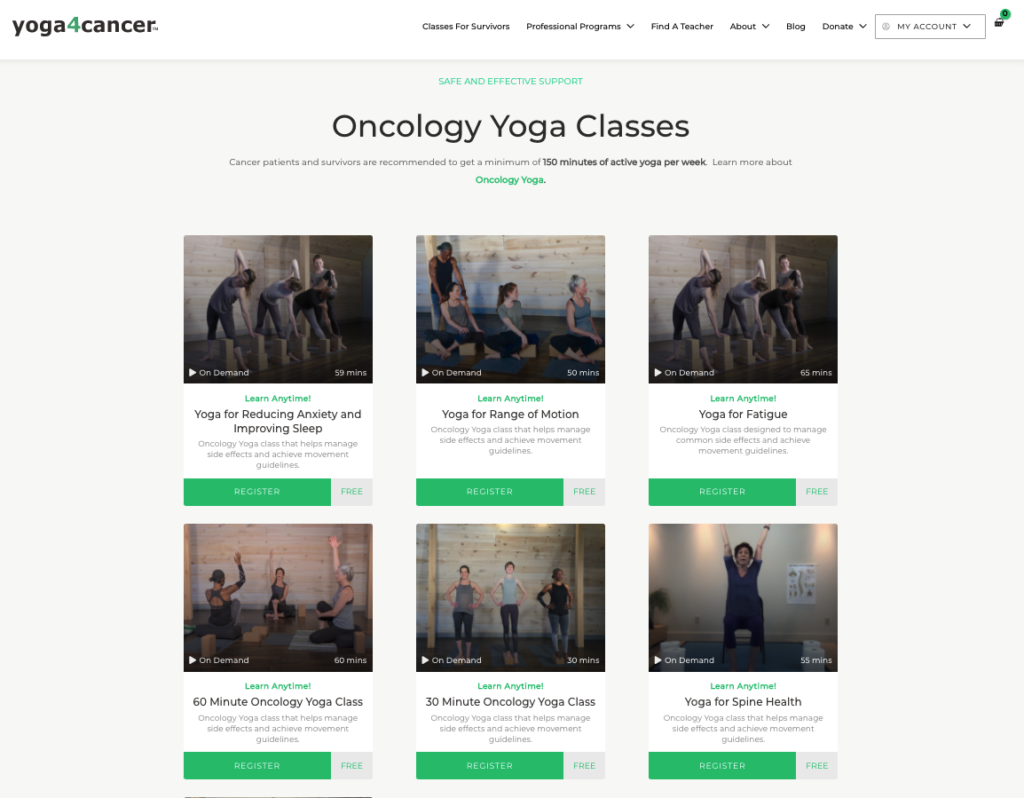
Go to ‘Classes for Survivors‘ section of dsy4c.wpengine.com
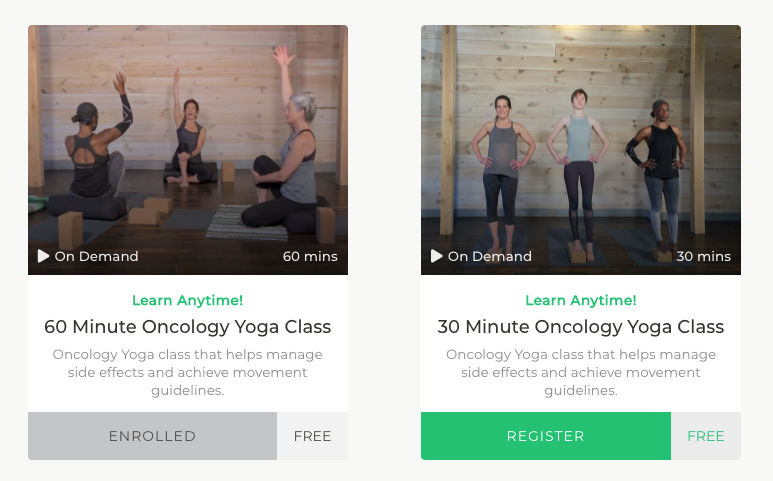
Select a class and click the Register button.
If you are new to dsy4c.wpengine.com, you will be required to set up an account. Follow the steps. If you are a returning student, please log in to make registration quick and simple.
Make a note of your username and password for future reference. This will be required to access any class. Your password can be reset at any point.
All programs and classes will be accessible only through your Profile – located in the upper right hand corner after you have logged in.
Utilize the ‘Add to Calendar’ function provided on the confirmation page. This will help ensure you have protected the time in your schedule and have all the class access details easily available.
Accessing the Class
To access a registered class, you must be logged in. Then there are many ways to access a registered class either when it is scheduled to participate or when you want to access to the on demand options.
Go to ‘Classes for Survivors‘ section of dsy4c.wpengine.com and you will see classes that you have already Enrolled in, or those open for Registration.
Classes will be accessible only through your Profile – located in the upper right hand corner after you have logged in.
Finally, you should receive reminder emails. Utilize the ‘Add to Calendar’ function provided on the confirmation page. This will help ensure you have protected the time in your schedule and have all the class access details easily available.
For On Demand Classes – Access is immediate and you will be able to play the class when you need. Locate the ‘stop’ and ‘pause’ buttons for water breaks.
For Live Classes – Use the JOIN VIA BROWSER or JOIN VIA APP buttons at the specific date and time of the class. Please join at least 15 minutes early if you are a new student or need to discuss anything with the teacher.